 DockPro · macOS 14+
Your Dock, grouped by project.
Make a group for each project or workflow — Development, Design, Client X — and open the whole set with one click from a floating panel above the Dock. No more hunting through Launchpad or Spotlight for the same five apps every morning.

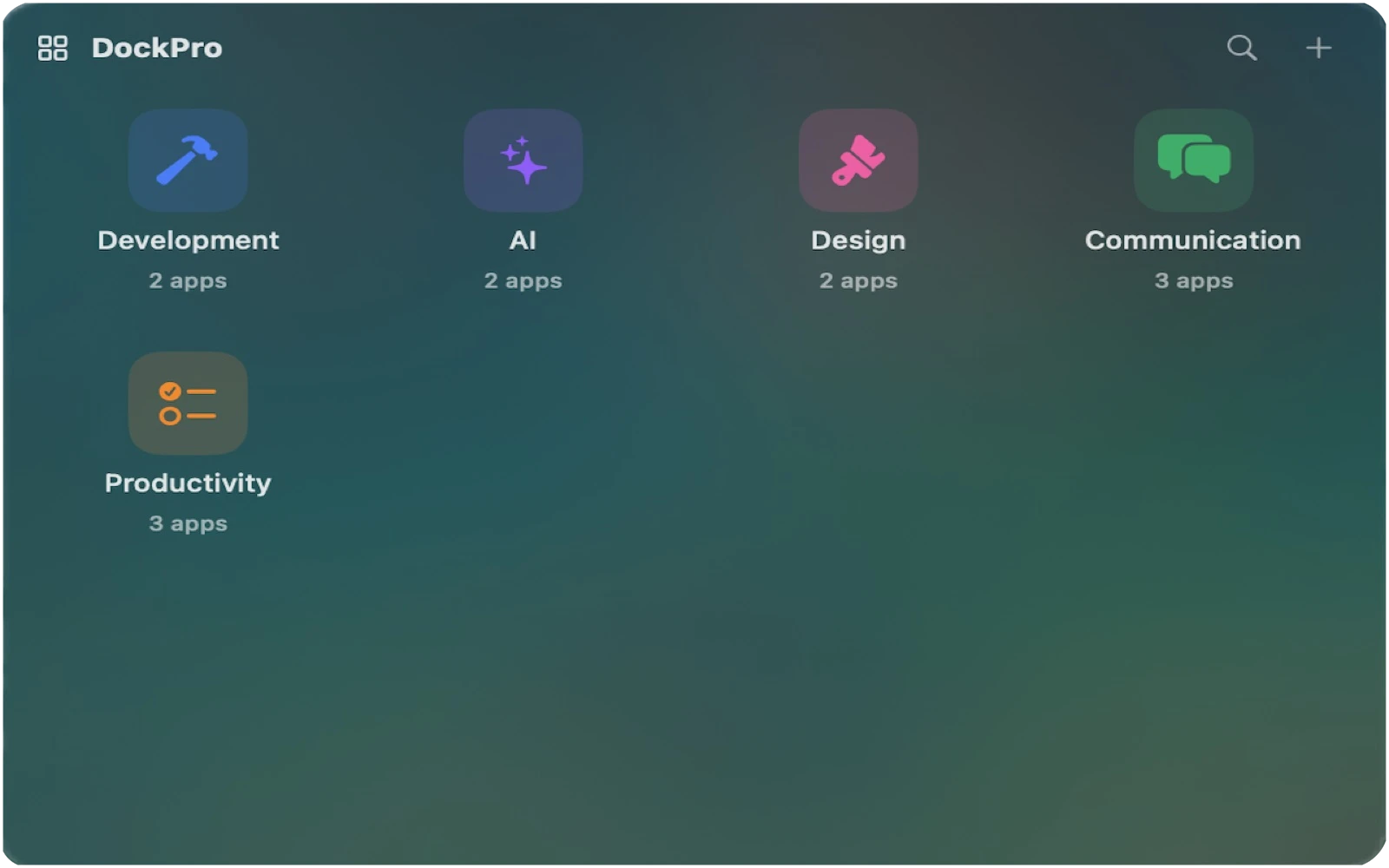
Click around. It works like the app.
An interactive sketch of the DockPro panel. Open a group and hit Launch All, or press ⌘K to search every group. The Dock icon shows and hides the panel. App icons are placeholders.
Terminal is already running.
One tile per project. One click to open it all.
Group your apps
Click the DockPro icon in your Dock and a compact panel appears above it. Add a group, pick an icon and color, drop in the apps that belong together.
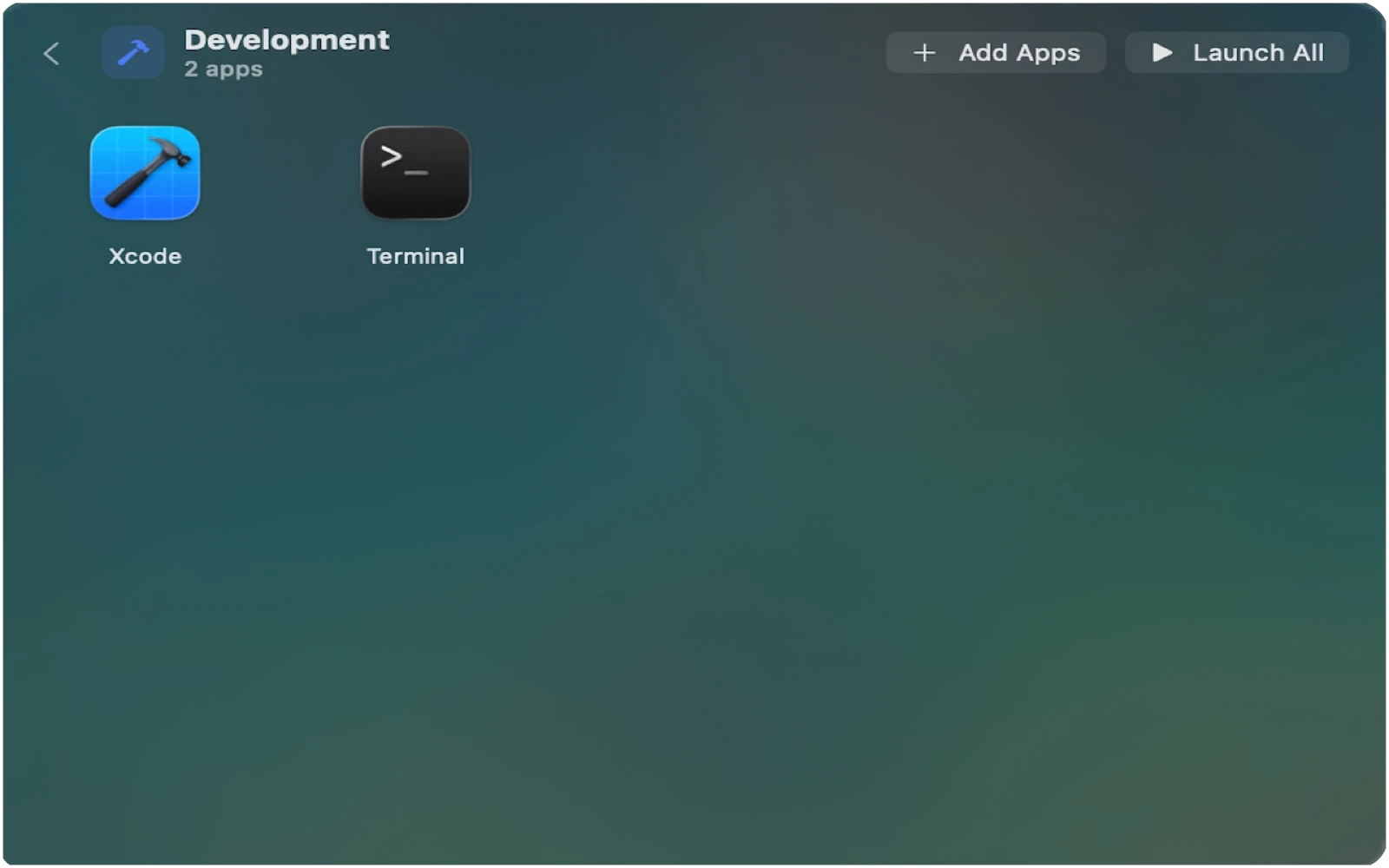
Launch All
Open a group and hit Launch All. Every app starts, or comes to the front if it is already running. Running indicators show what is open at a glance.
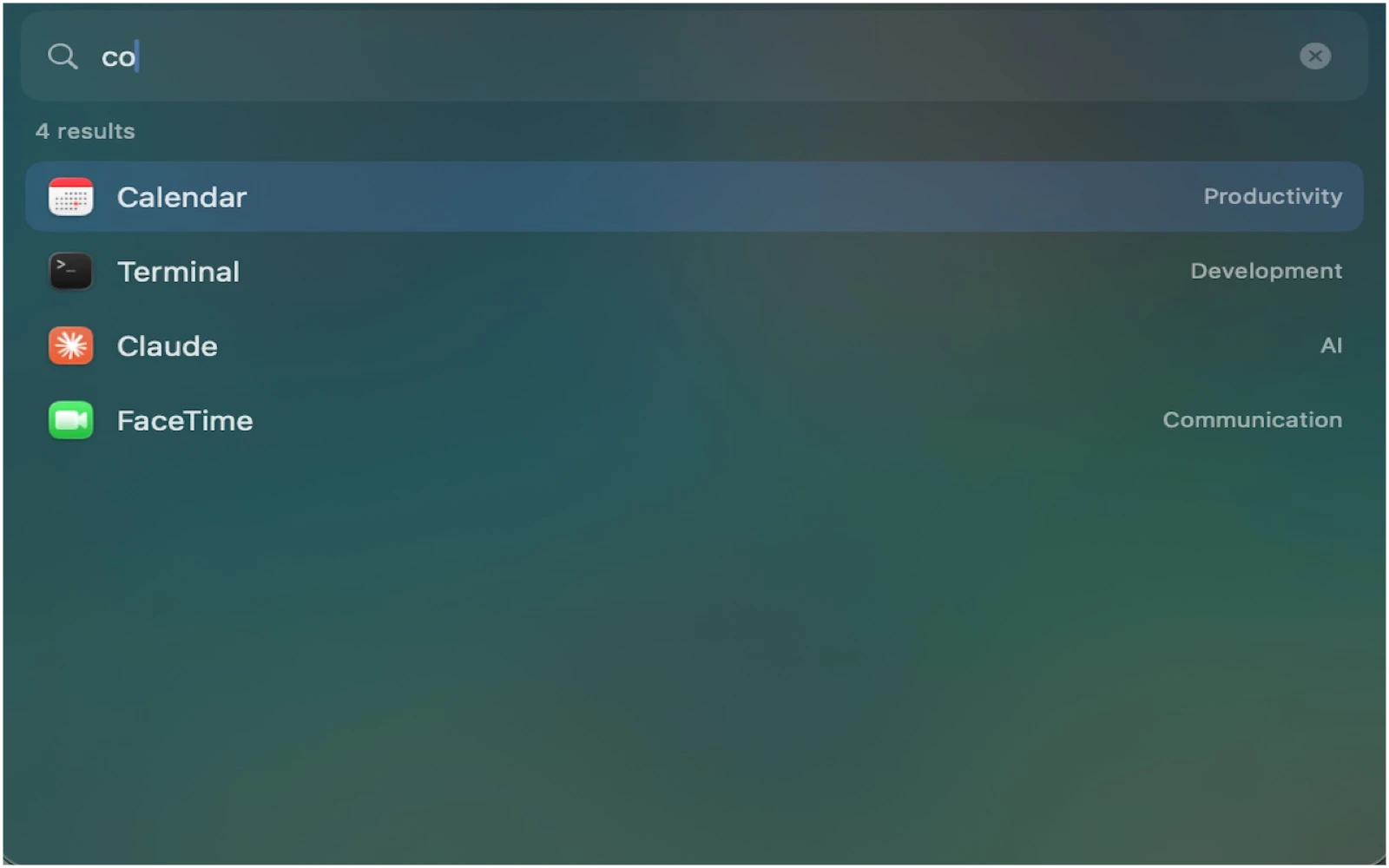
Find anything with ⌘K
Search across every group by name. Arrow down, press return, and the app is open — no mouse required.
Small app. Sharp edges.
Groups
Collect any apps into named, color-coded tiles. Reorder by drag, rename in place, delete without ceremony.
Launch All
Open every app in a group with one click. Already-running apps are activated, not relaunched.
⌘K search
Find any app across every group instantly. Keyboard first: type, arrow, return.
Running indicators
A dot on each tile shows what is already open, so you never launch a second copy by accident.
Import / Export
Move your setup between Macs as a plain JSON file. Apps are matched by bundle identifier, not path.
Stays out of the way
Menu bar access, launch at login, and a panel that hides itself when you click elsewhere.
Free to start. No subscription, ever.
- 2 groups
- Launch All, ⌘K search, running indicators
- Import / Export
- Every future update
- Unlimited groups
- Everything in Free
- Shareable with Family Sharing
- No subscription. No account.
Requires macOS 14 Sonoma or later. DockPro does not modify Apple's Dock — it is a sandboxed Mac App Store app with one Dock icon and a floating panel. Read the privacy policy or email support.